


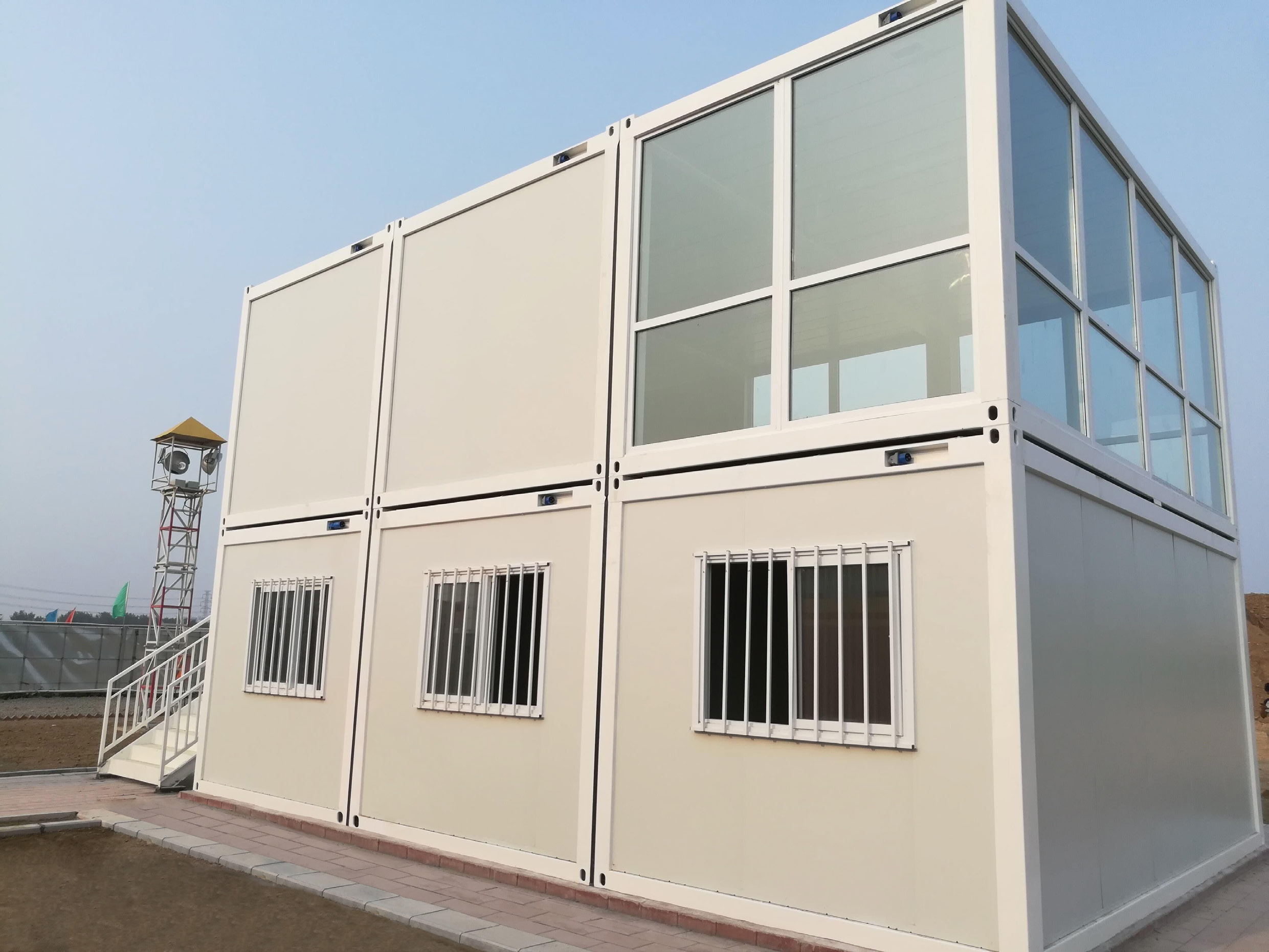
BMS · Flat-pack house component equipment
CONTAINER HOUSE ROLL FORMING MACHINE
Equipment for flat-pack house frame components and door skins.
Plan container house manufacturing around your component drawings, materials and orders.
Your production scope
Match Components to Your Order
Choose the parts you will make for a flat pack container house, then define BOM quantities and assembly interfaces.
View BMS Industry Applications →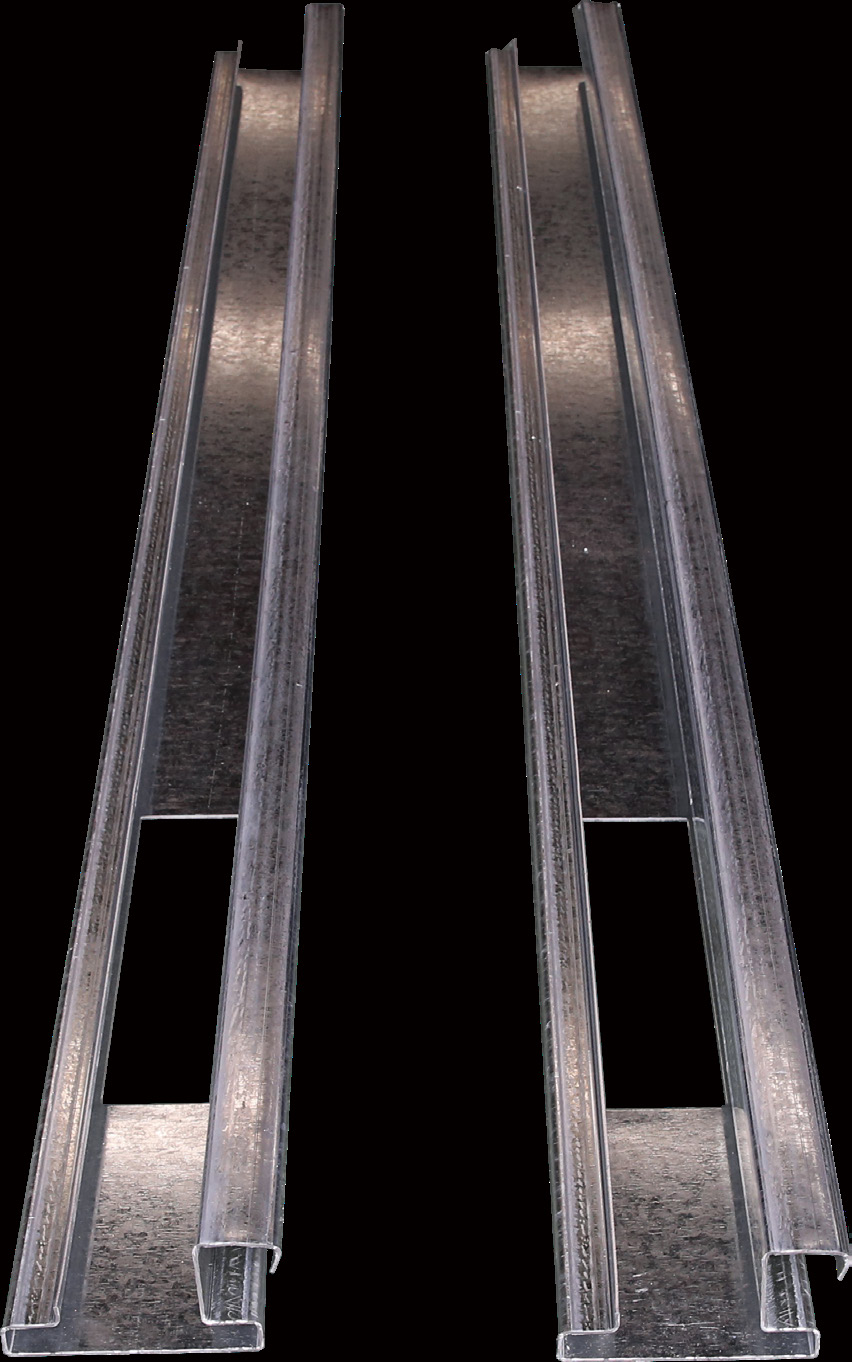
Top beams
Roof-frame contact faces, holes and cut ends.
See the process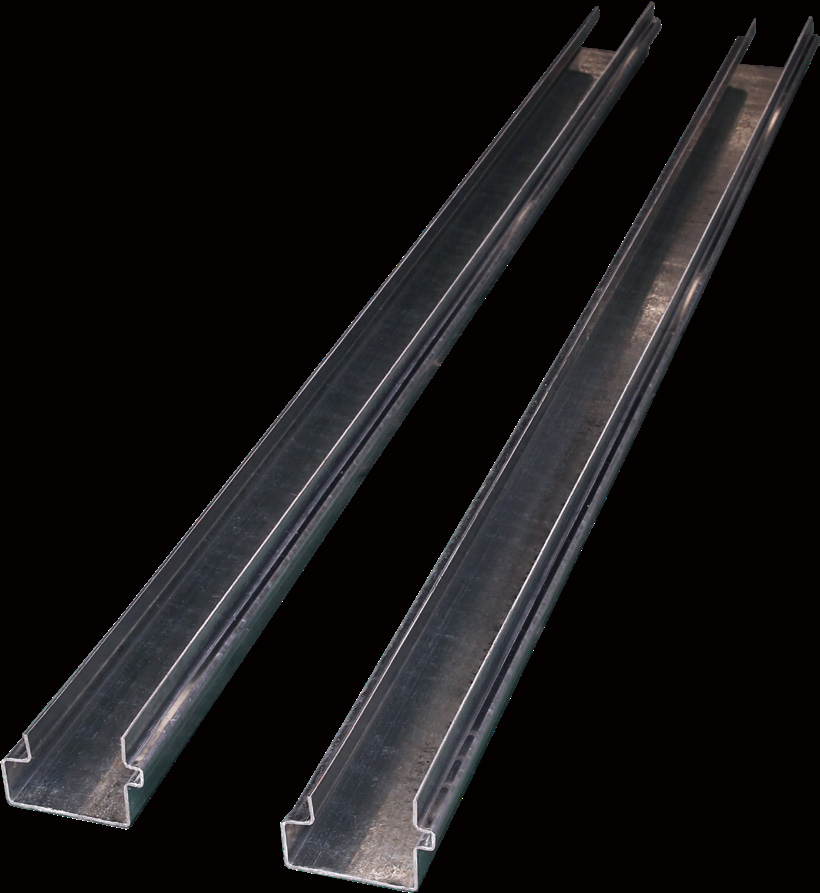
Bottom beams
Floor-frame section, corner nodes and end preparation.
See the process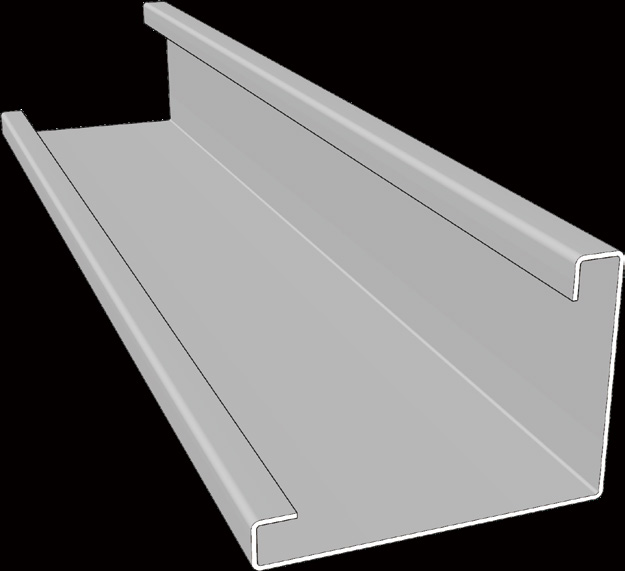
Columns
Full-length geometry and upper/lower node fit.
See the process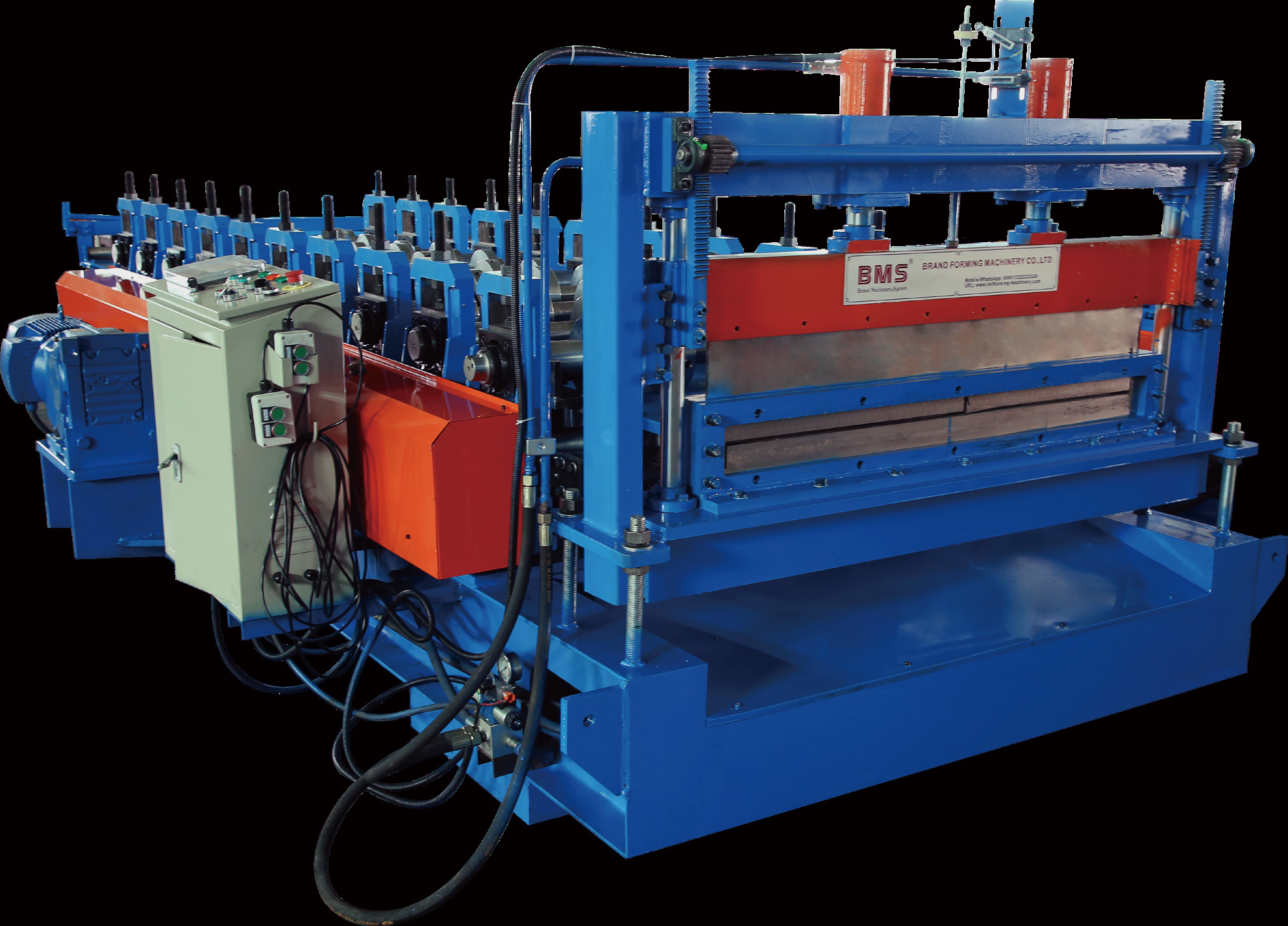
Door skins
Skin width, returns and receiving door assembly.
See the processInvestment routes
Choose Your Investment Route
Add one line to remove a shortage, or coordinate several processes around the accepted output your orders need.
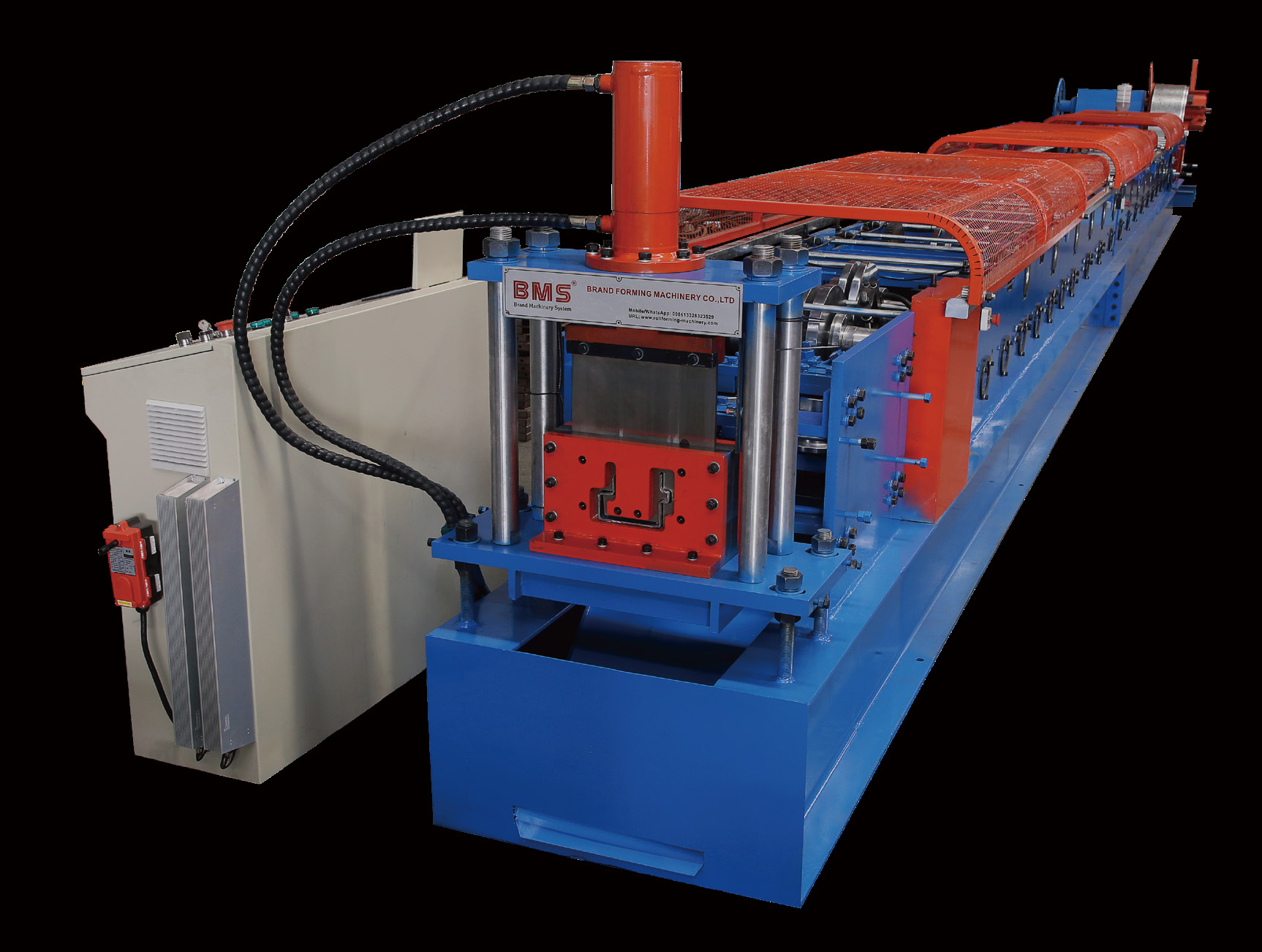
Add one component line
Add one line for a recurring beam, column or skin shortage.
Coordinate a component package
Coordinate lines, tooling and receiving provisions for recurring component families.
Keep purchased parts where they work
Compare outside supply with tooling and changeover effort for small batches or constrained downstream capacity.
Quote the supplied boundary
Include the decoiler, punches/cutters, tools and runout; assign welding, coating and handling separately.
Compare accepted handover output
Compare accepted handover counts and queue time before increasing forming speed.
Profile & assembly
Your Drawing Sets the Machine Task.
Match the section, holes and ends to the receiving frame. Freeze the part drawing before choosing tooling.
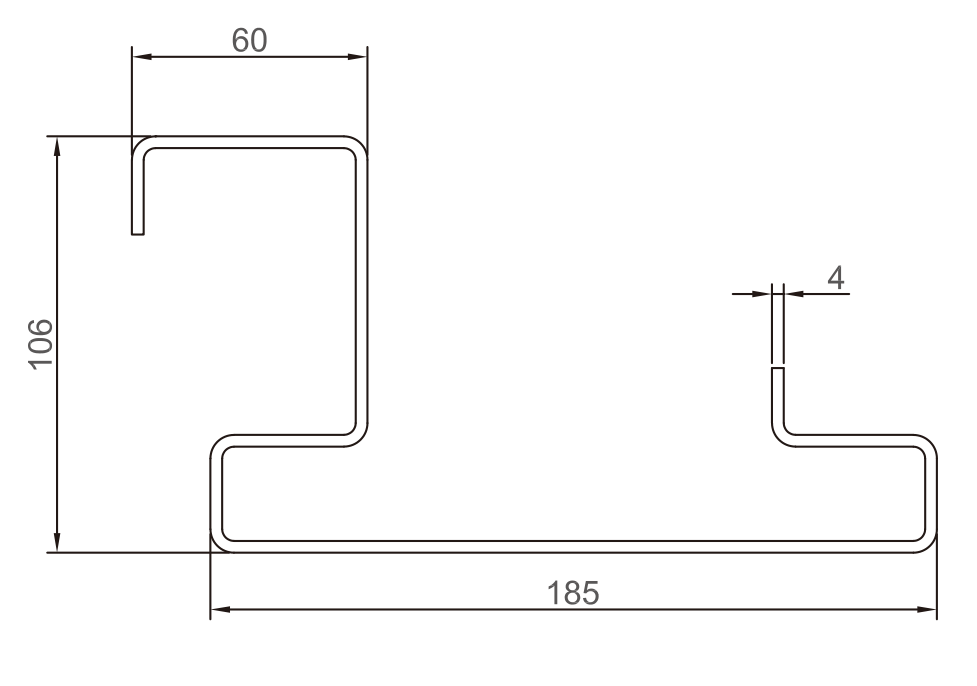
YX106-185 · Top beam
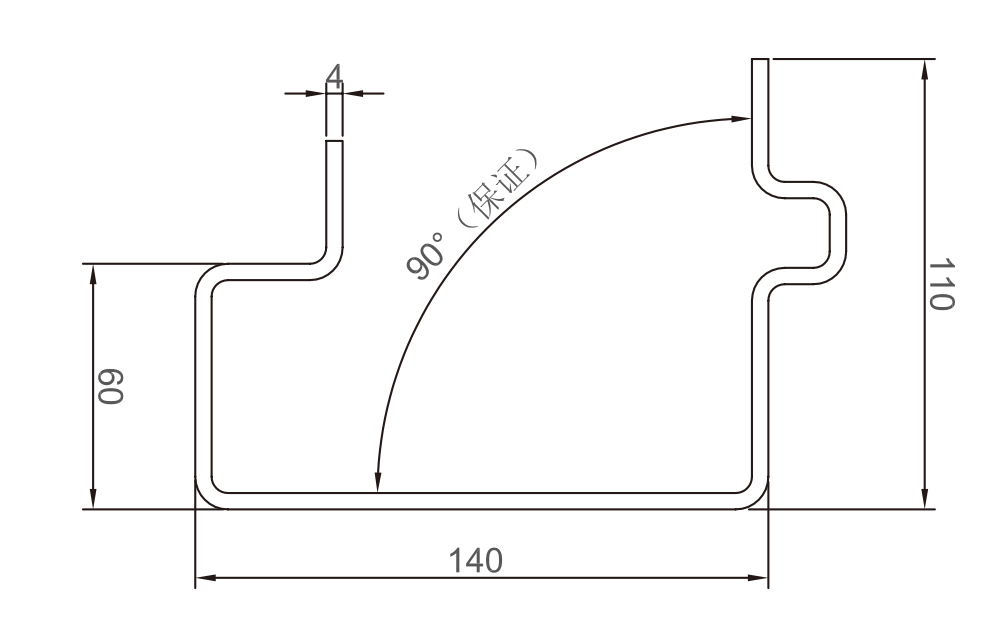
YX110-140 · Bottom beam
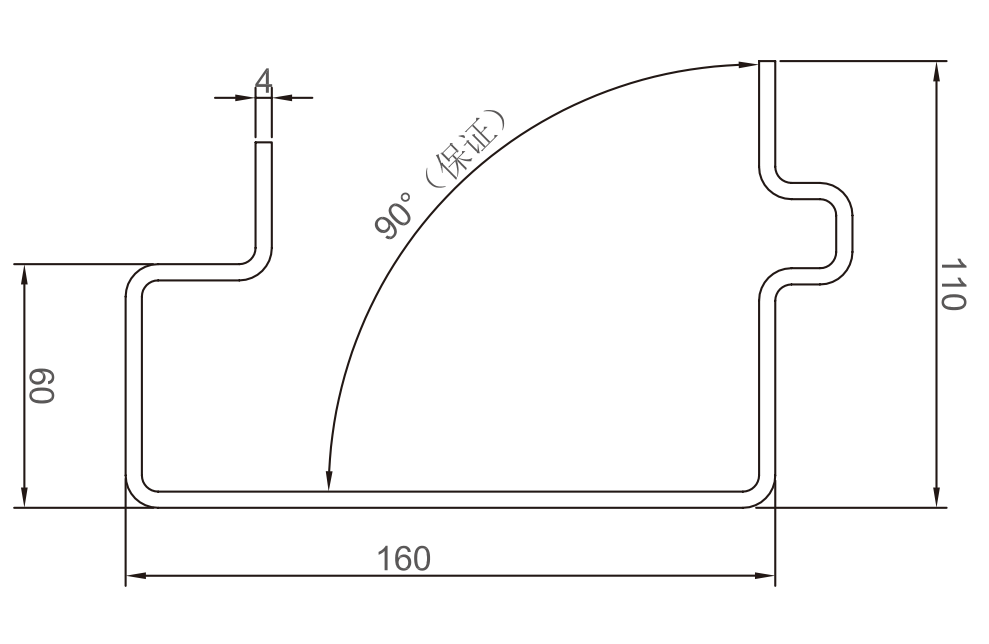
YX110-160 · Bottom beam
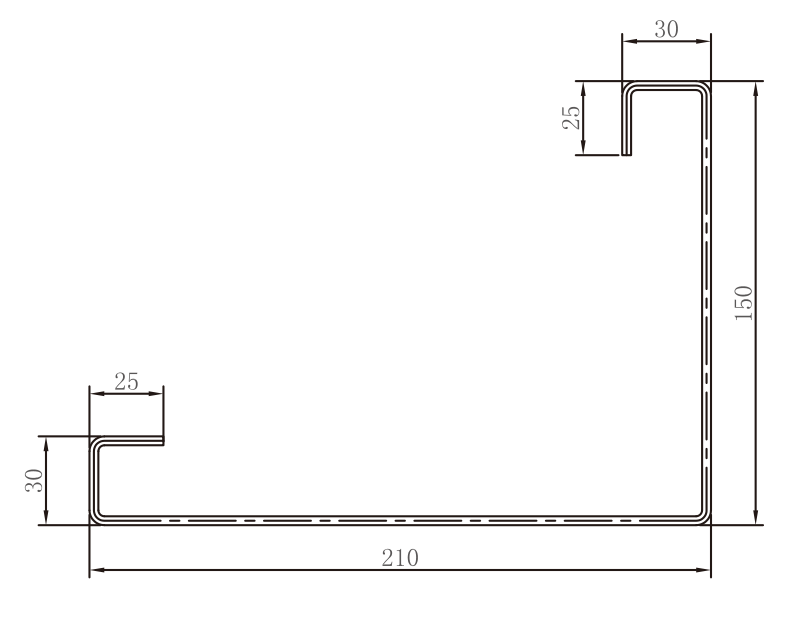
YX150-210 · Column
Drawing dimensions, revisions and tool access
Specify the section and material for each line, including the tooling and changeover method for every required size.
Functional Faces First
Mark internal and external dimensions, return lips, angles, bend radii, thickness basis and contact faces from one stated datum system. Add left/right orientation, end holes, slots, notches and the real mating node. Keep cosmetic dimensions distinct from those that control assembly.
Revisions and Tool Access
Use one controlled revision across the component CAD, tooling list, hole programme, gauge and assembly drawing. A changed lip or radius can affect roller clearance, punch access and cut-off support even when the overall width is unchanged. Reassess those operations before treating a new section as a recipe change.
Agree the ordered section dimensions, material combinations and acceptance criteria in the equipment specification.
Material & coil
Match the Line to the Steel You Buy.
Grade, thickness, coating and bend geometry determine forming load, springback and surface control.
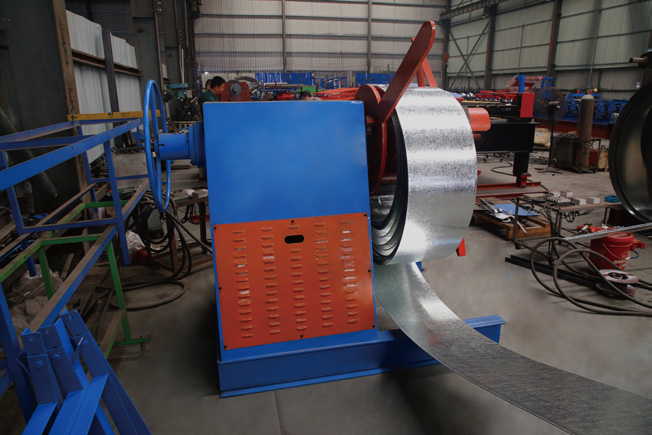
Steel & thickness
Specify grade, strength, thickness basis and tolerance.
Coating & visible face
Define visible-face protection, joining and repair.
Coil & strip
Match loading and guides to coil and slit-strip limits.
Material limits, strip development and trial inputs
Define the drawing–material combination for each line. Strength, thickness, coating and section geometry together affect forming load, springback, punch clearance and surface contact.
Material window. State the steel standard and grade, yield and tensile limits, base-metal or total coated thickness, and thickness tolerance. Use material certificates and samples at the required grade and thickness limits to define each line’s operating window.
Surface route. Identify coating, visible side and acceptable contact marks. Pre-galvanized or prepainted coil, welded parts painted later and components galvanized after fabrication have different preparation and repair requirements.
Coil interface. Provide mass, inside/outside diameter, developed strip width, width tolerance and slit-edge condition. Coil handling changes the decoiler and layout; strip width, burr and camber affect alignment and the resulting part.
Develop strip width from the approved section and evaluate the intended material at its actual bend radii. Do not reduce thickness or substitute a stronger grade simply to fit an equipment window: either change also requires product-engineering approval. Use incoming-coil limits and surface samples to distinguish material defects from forming or handling marks.
Beam production
Form the Section. Locate the Features.
Choose punching and cutting from the finished-part datums, tool access and section support.
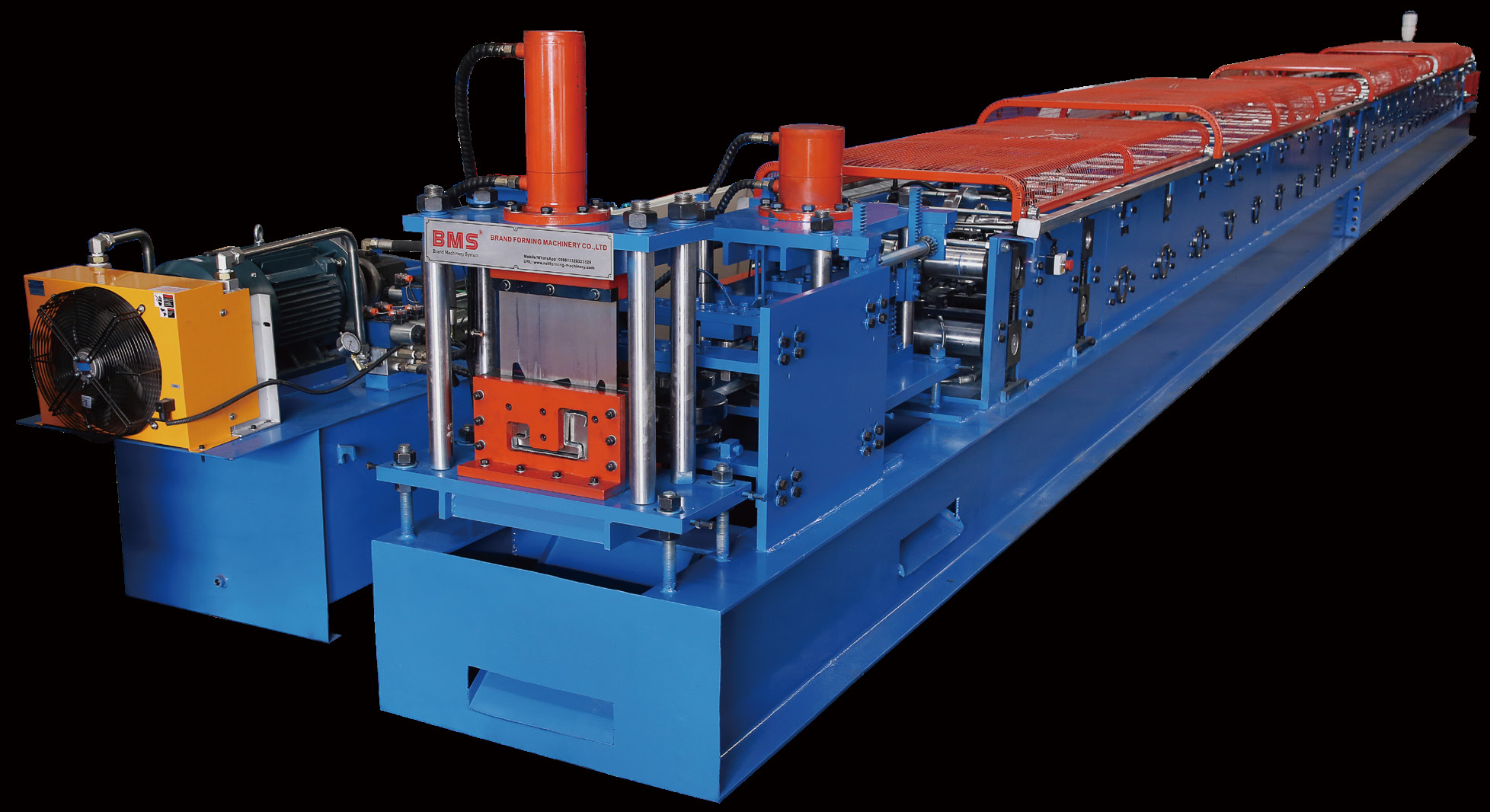
YX106-185
Forming, hole-making and cut-off are separate process decisions.
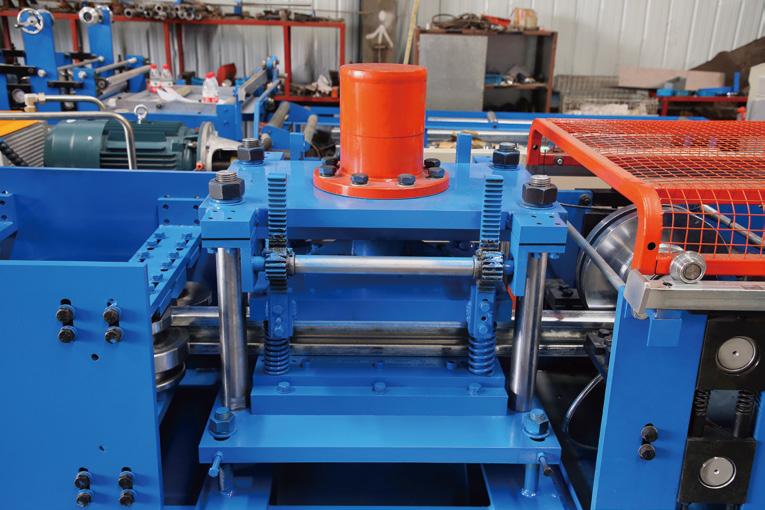
Hole & end features
Choose pre- or post-punching from feature location, access and support.
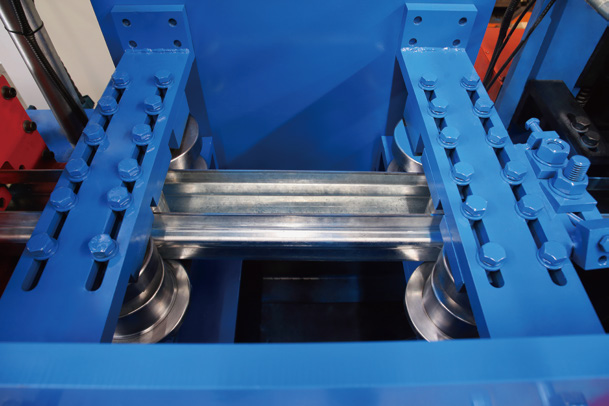
Shape & receiving condition
Set shape control and define any separate hole or end operation.
Beam process sequence, datums and secondary operations
Choose the hole-making and cutting sequence from the final part datums, tool access and section support. The top-beam hydraulic post-punching operation is separate from cut-off.
Load and guide the specified coil, establish feeding and lubrication, and form the approved section. Define punching and cut-to-length as separate operations in the line layout. At release, inspect length, hole-to-end relationship, cut angle and local end deformation; route unfinished notches, weldments or other end work to a named secondary process.
Pre-punch flat strip when the pattern is accessible before forming. A repeating pattern can suit this route, but features near bends can move or distort as the section develops. Relate the feed pattern and cut length to the finished part datum.
Post-punch the formed section when the required face is accessible and can be supported. Tool access and support can add cycle constraints; use the finished end as the locating reference where the design requires that relationship.
Use a secondary operation when geometry, batch size or access favours separate hole or end work. This adds handling and another locating setup, so use the same functional datums for setup and inspection.
Set the Bottom-Beam Sequence Independently
Define the actual holes, slots, end distances and cutting support for the selected bottom-beam drawing. Decoiling, camber adjustment and lubrication do not determine which hole patterns are included.
Check bottom-beam tool access rather than copying the top-beam punching arrangement. Put corner-node preparation, welded ends and remaining secondary work in the process BOM with their own owner and release point.
Match the YX100-159 section, mating faces and end features to the floor-frame drawing.
Column production
Check Full-Length Column Quality
Accept columns at working length, in the agreed free state, and at both connection nodes.
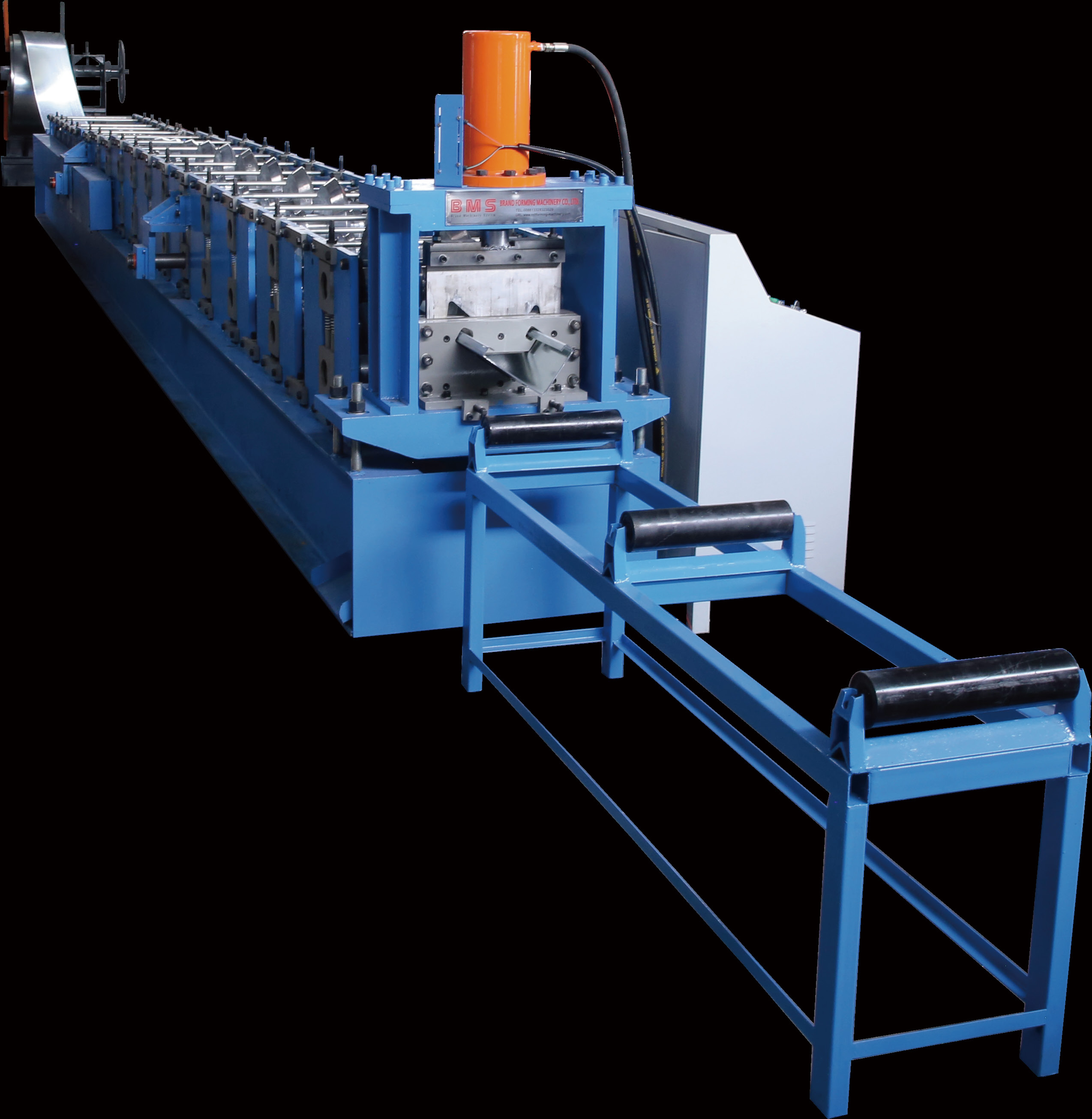
Section & direction
Check returns, angles, mating faces and direction.
Full-length shape
Use the agreed support without forcing the part.
Both node interfaces
Check both ends for squareness, distortion and node fit.
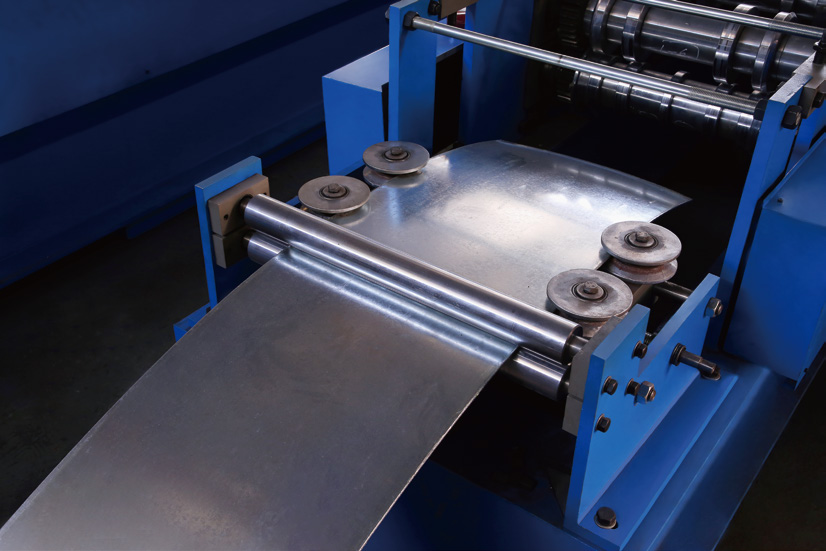
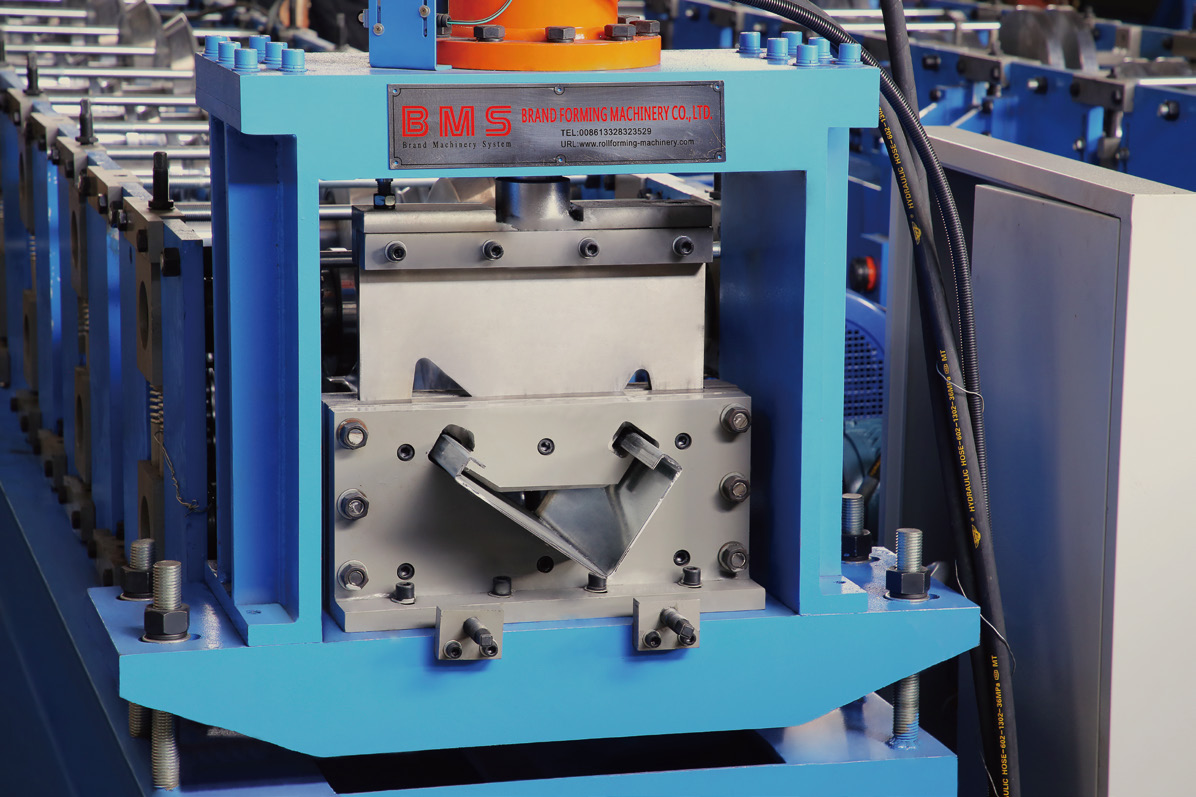
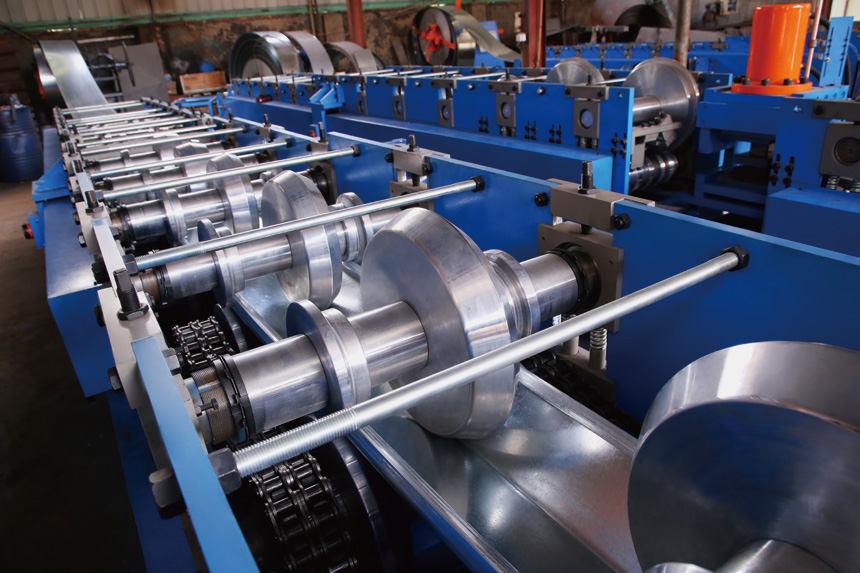
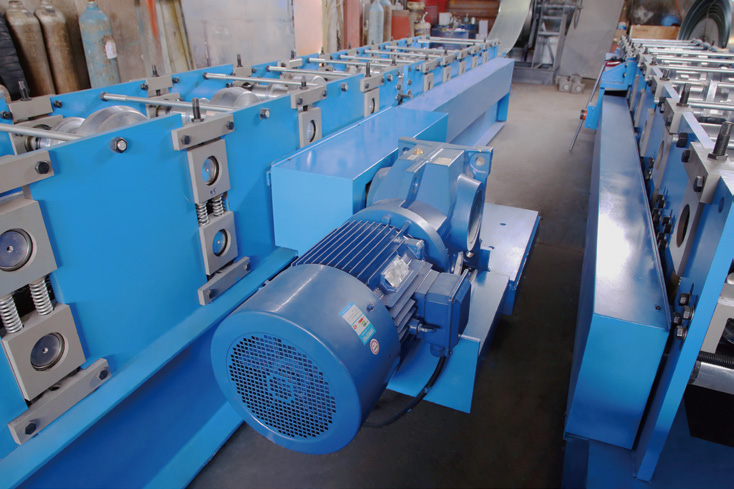
Column full-length trials, node checks and additional operations
Approve a column at its working length and at both connection nodes. A good short end sample cannot establish full-length straightness, twist or assembly fit.
Check Three Conditions
- Section and direction: returns, angles and mating faces at the required inspection points; clearly mark top/bottom and handedness.
- Free-state shape: full-length straightness and twist on the agreed support arrangement, without forcing the part into a fixture to hide deviation.
- Node fit: cut squareness, local distortion, clearance and contact at actual upper and lower connection samples.
Use representative length families, first and last parts and parts after a coil or setting change. Poor entry alignment, variable coil condition or inadequate runout support can each affect the result; diagnose the stage before adjusting the roll tooling.
Specify column holes, slots, welded ends and node machining as separate order items, with their tools, locating datums and acceptance checks. Include an in-line operation only when it is part of the selected configuration.
Considering another frame section? View the YX128-200 Frame Machine. Match its section and connection geometry to your frame drawing.
Door-skin production
Specify the Skin Your Door Assembly Needs.
Select a door panel roll forming machine by skin width, returns, material and the receiving door assembly.
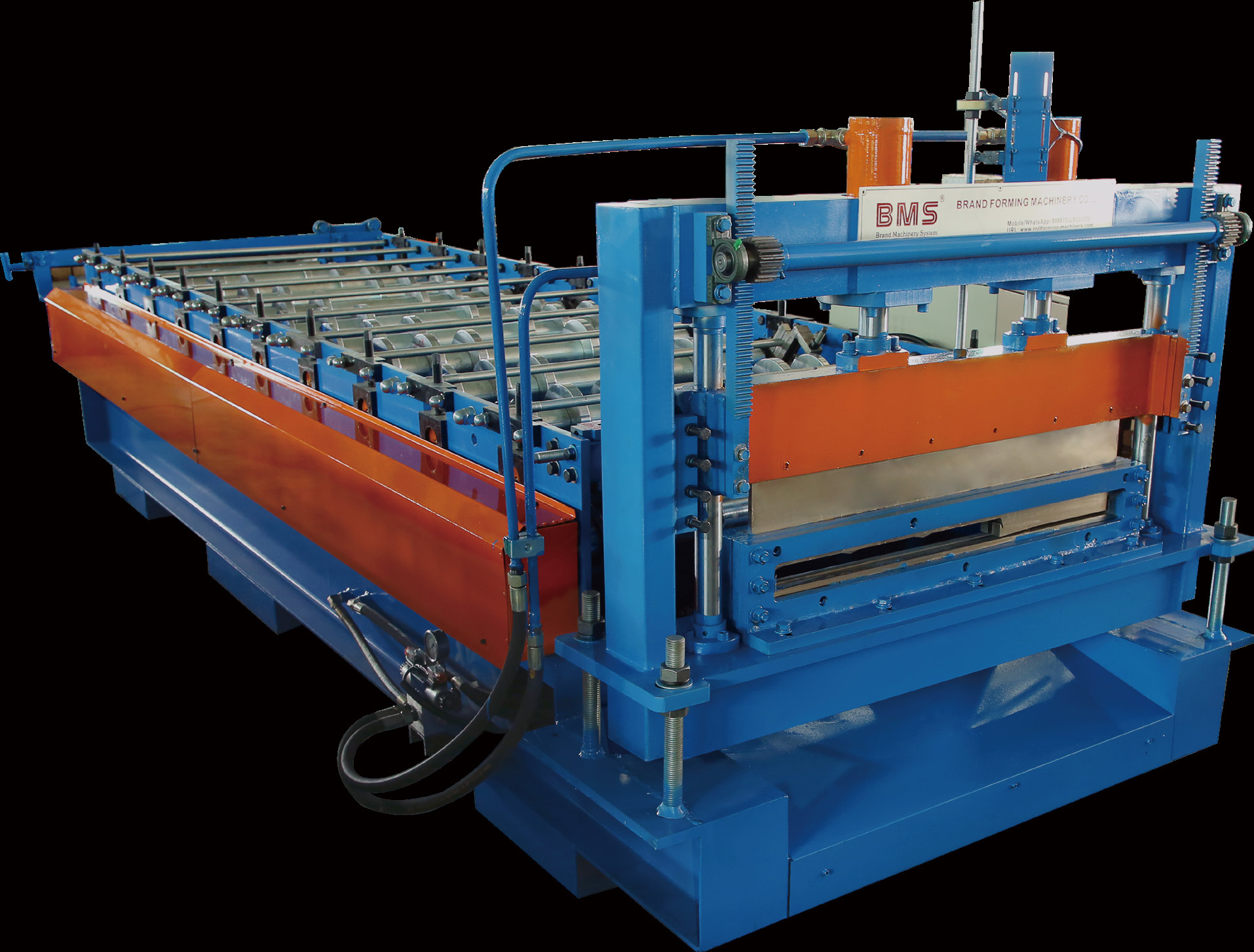
Door-Skin Family A
YX30-834 / YX25/32-834/1133

Door-Skin Family B
YX30-524 / YX25/30/33/40-627/1148/1133
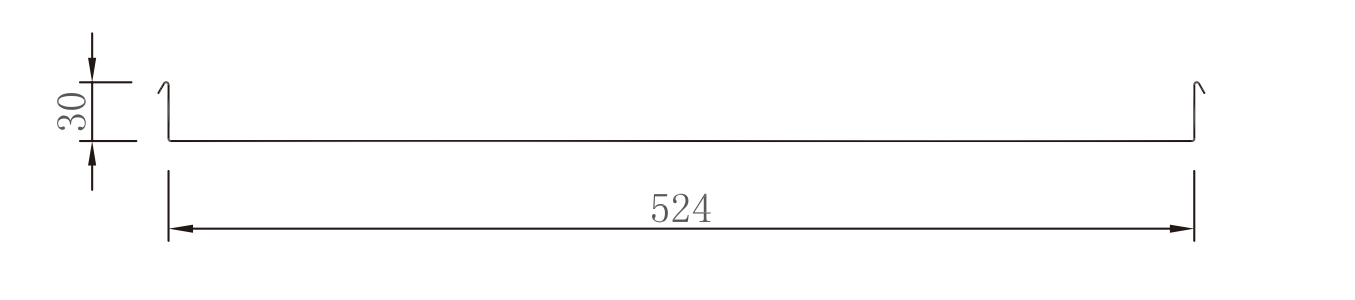
Specify each width, return height and material combination, together with its tooling and changeover method.
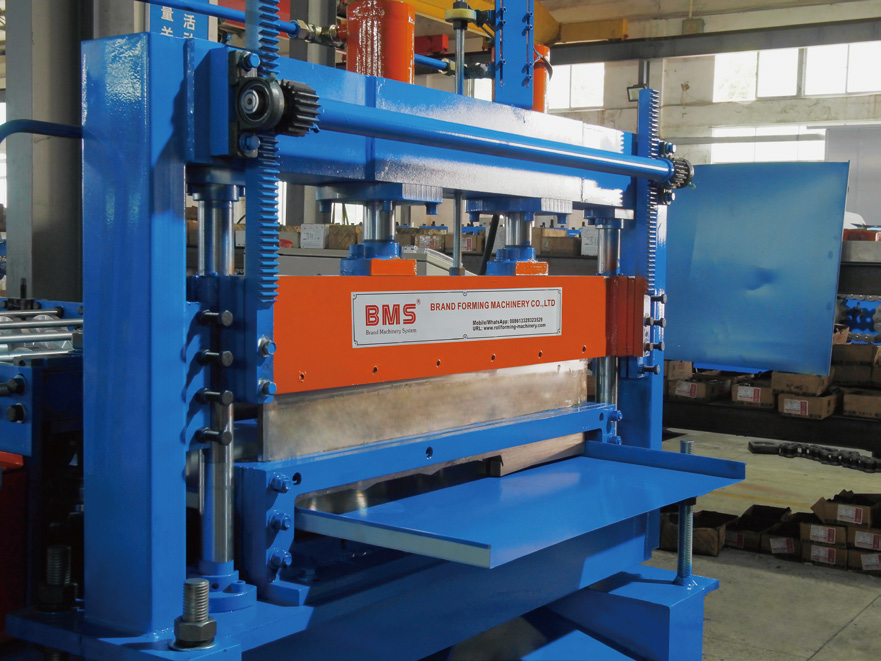
Include the whole edge process
Separate powered axes from manual guide, blade/die and shear settings.
Release the skin to its door assembly
Check surface, edges and assembly fit; assign frames, cores and hardware downstream.
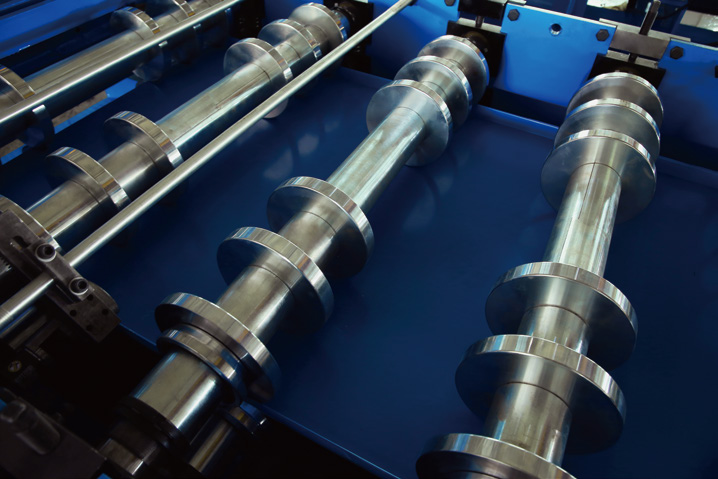
Door-skin family selection, size change and surface trials
Select a door panel roll forming machine from the finished skin and receiving door assembly. Specify each required width, return height and direction as a drawing-controlled combination.
Door-Skin Family A
YX30-834 / YX25/32-834/1133. Match the requested working width, return and surface side to its own approved drawing.
Door-Skin Family B
YX30-524 / YX25/30/33/40-627/1148/1133. Define the tooling and changeover method for each required width, return height and material combination.
Define the Finished Skin
Specify assembly width, return height/direction, flatness, diagonal limits, cut-edge condition and the visible face. Include manual front-shear work and hydraulic post-cutting in the real sequence.
The skin is one part of a door. Assign lock/hinge openings, embossing, remaining edge work, cores, frames and hardware to their required downstream operations, then check a skin in the receiving door assembly.
Prove the Size Change and Surface
Identify the powered adjustment axes and the guide, blade, die or receiving settings that remain manual. Separate motorized size adjustment from operator work on guides, blades and dies.
Run the intended A and B skins in the specified material. Record tools, settings, operator work, trim, cut clearance and the first accepted skin. Check roller contact, surface comparison samples and final assembly fit before releasing that combination.
One line, or a coordinated package?
Bring the component drawings, material combinations and the operations you already have. Define the supplied and downstream scope together.
Changeover
Plan From Last Good A to First Good B.
Separate length changes, size adjustment and tool changes. Trial the full A→B→A recovery.
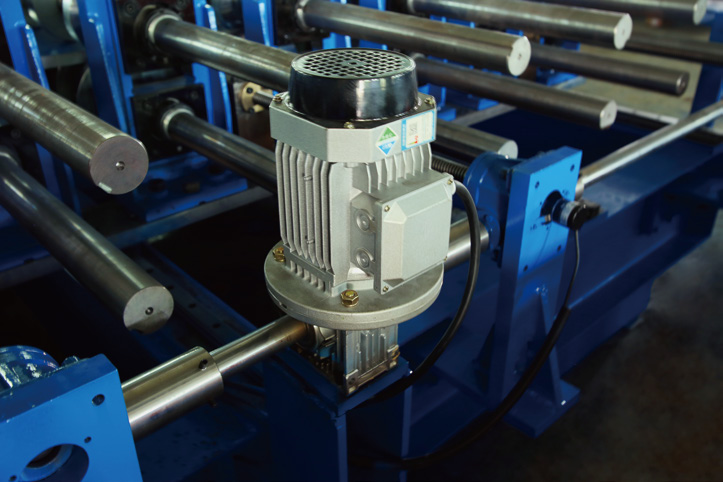
Length change
Settings and hole/end relationship.
Approved family adjustment
Axes, guides, blades/dies and supports.
Tooling change
Tools, alignment and safe setup.
New section or material
Reassess sequence, load and access.
Changeover release criteria, labour, scrap and recovery
Classify the change before asking how long it takes. Length recipes, size adjustments and new cross-sections create different mechanical and inspection work.
Same section, different cut length
Length setting, hole sequence, final-end relationship and receiving support
Release: First part matches the length and hole/end drawing
Size within an approved family
Specified powered axes plus any manual guides, blade/die and support settings
Release: Only the drawing–material combinations on the approved matrix
Tooling or mechanical change
Correct roller, punch, cut-off tool and setting IDs; alignment and safe setup
Release: Controlled tool list and accepted first part
New section, grade, radius or access condition
Reassess the forming sequence, load, support and tooling for the new section or material
Release: A defined revised configuration and trial, rather than a stored PLC recipe
Last accepted A. Start the changeover clock at the agreed last-good-part point.
Change and set. Record labour, tools, settings, coil/threading changes and material used.
First accepted B. Stop only after measurement and first-part release; separate adjustment scrap from good parts.
Return to A. Restore the controlled mechanical settings and verify recovery, not just recipe recall.
Use the real order sequence and the staff who will operate the line. A dedicated line can avoid frequent mechanical changes but needs enough recurring demand; a flexible arrangement can serve a wider mix while adding setup and inspection time. Specify adjustment axes, tooling and trial conditions separately for each beam, column or skin line.
Order-ready output
Plan Accepted Component Kits
The component in shortest accepted supply limits complete kits. Count matching variants in the same production window.
K = mini floor(Gi / qi)
qi > 0 · approved quantity per kitGi · accepted and available quantity
The smallest whole-kit count governs.
Count accepted, available parts for the same order and production window. Allocate mixed stock first; downstream work can still limit shipment.
Kit allocation, production time and shipment limits
K = mini floor(Gi / qi)
qi > 0 · approved quantity per kitGi · accepted and available quantity
The smallest whole-kit count governs.
Divide accepted available components by the BOM quantity per kit, round down and take the minimum. Exclude quarantine, unfinished work and stock committed elsewhere.
Allocate mixed orders against their own BOMs. One length, direction or revision cannot replace another.
Count accepted parts
Include stops, setup, first-part release, scrap and rework in the time basis.
Match the order
Match beam ends/holes, column geometry/node fit and skin surface/edges.
Release the whole route
Count purchased parts only when accepted and available; downstream work can still limit shipment.
Factory integration
Connect Forming to the Next Working Station.
Match forming output to the next station’s capacity, part identification and release conditions.
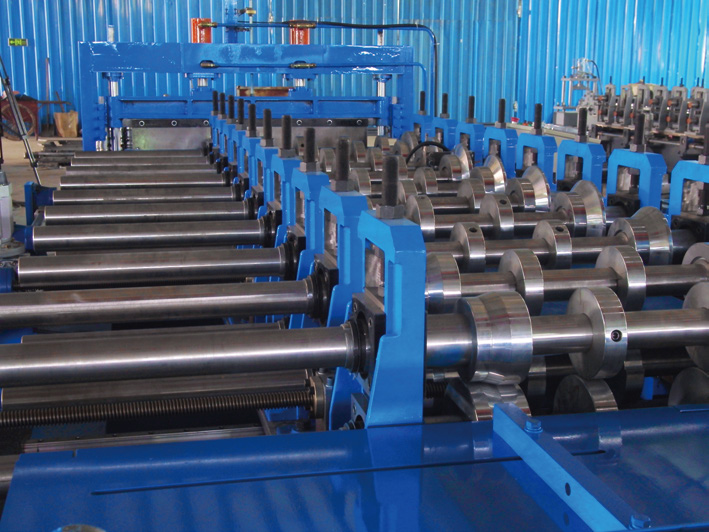
Identify & receive
Identify part, direction, revision, batch and inspection state.
Fixture & join
Measure before clamping, in the fixture and after joining/unclamping under comparable support and temperature.
Inspect & dispatch
Release fit, dimensions and finish, then bundle and reconcile kits.
Fixture and weld procedures have their own owners. Product engineering approves any forming changes used to compensate for welding. Set WIP buffers from the receiving station; specify tracking, stacking or assembly functions in the supplied scope when required.
Quality that controls fit
Quality at the Assembly Interface
Inspect functional datums, holes/ends, free-state shape and assembly fit—not only overall dimensions.
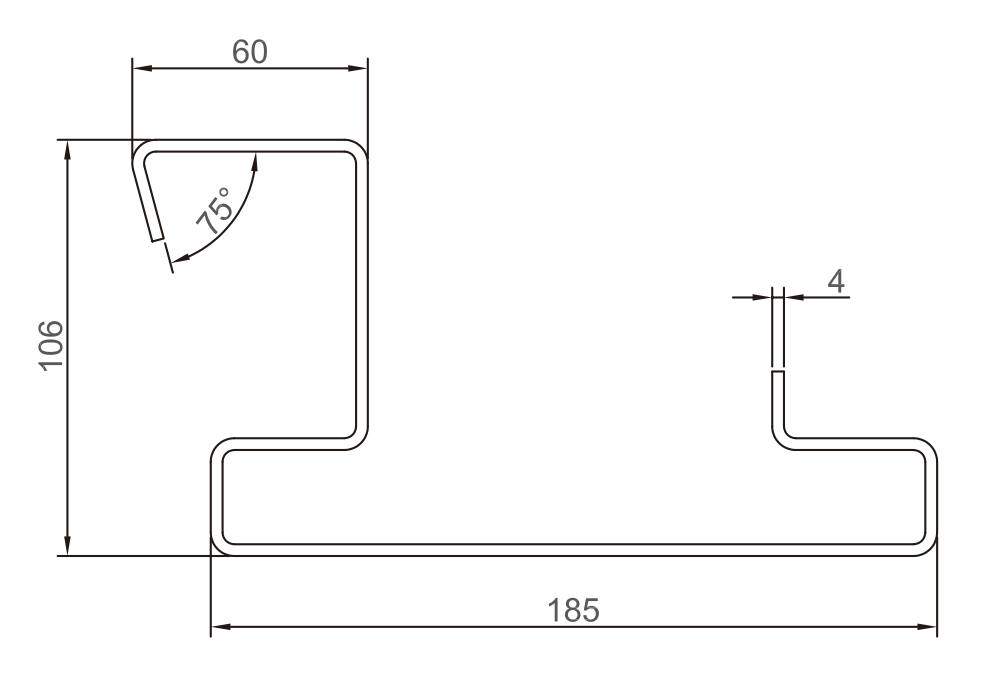
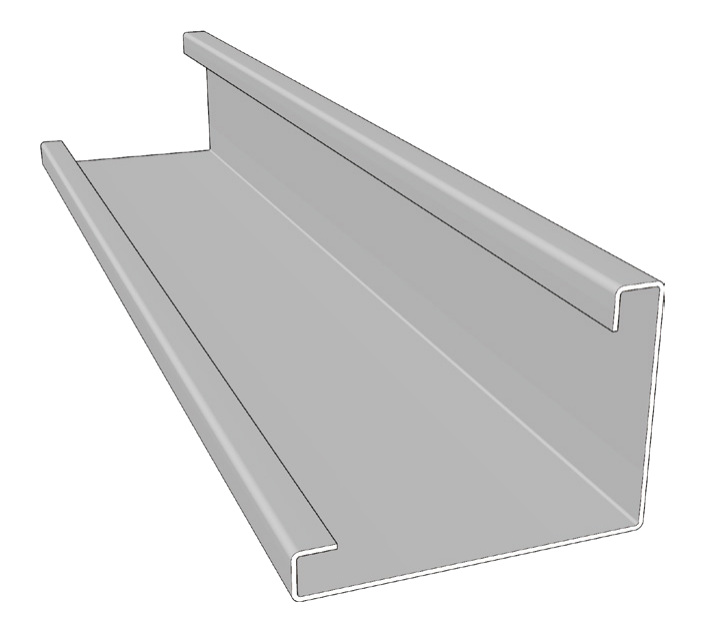
Functional section
Returns, radii and mating contact faces.
Located features
Hole/end relationships, slots and cut angle.
Released shape & surface
Straightness, twist, coating and edges.
Assembly & batch fit
Node fit and required interchangeability.
CTQ measurement, tolerance allocation and inspection changes
Inspect functional dimensions from a defined datum and measurement state, then prove the node and frame interface. A single general ± value cannot cover section shape, holes, ends, straightness and twist.
Section and interfaces. Check returns, angles, radii and contact dimensions using the controlled drawing and agreed measurement points or gauge. Include drainage/seal faces and adjoining parts in the tolerance stack.
Holes, length and ends. Use common functional datums for hole-to-end distances, slots, cut angle and local deformation. These features control fastener access, node location and fixture loading.
Full-length shape. Measure straightness and twist in the agreed free state or support condition. Do not use clamping to conceal deviation.
Surface and edges. Use material-specific limit samples for marks, coating damage and burrs. Separate incoming-coil, forming, welding and transport causes; repair follows the actual coating specification.
Assembly and batch changes. Trial-fit nodes and full-size frames and use cross-batch parts where interchangeability is required. Inspect first/last parts and after coil, tool or maintenance changes.
Allocate tighter tolerances only where the assembly needs them: more demanding limits can change tooling, gauges, process control and inspection time. Release reworked parts before counting them as good output. Set surface acceptance and repair methods for the actual coating route; pre-coated coil and post-fabrication galvanizing need different procedures.
Acceptance
Agree the Acceptance Trial
Agree trial materials, quantities, measurements and defect closure before FAT.
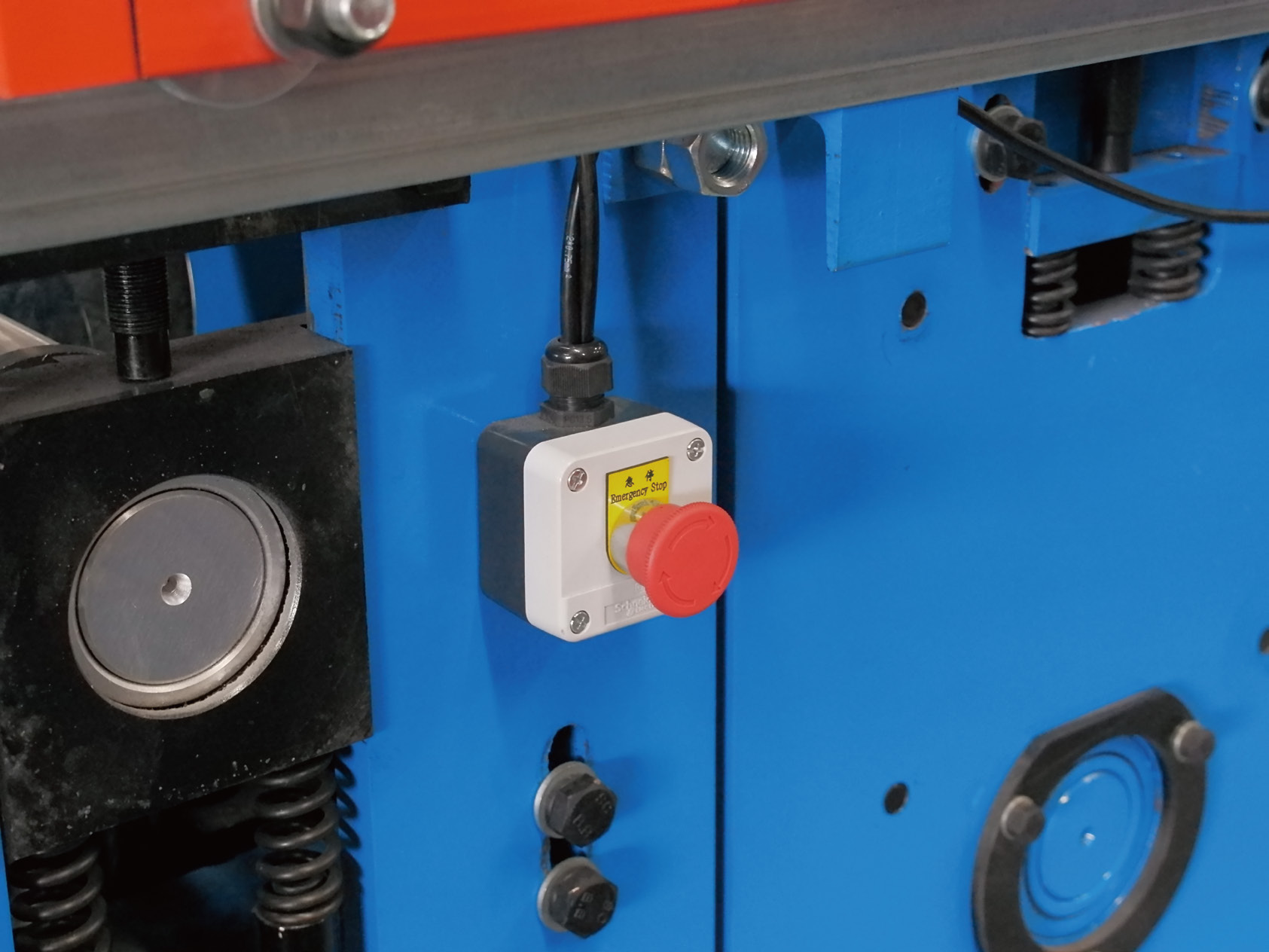
FAT
Trial the ordered profiles/materials, part checks and A→B→A changeover.
SAT
Repeat agreed checks with site utilities, handling and operators.
Factory release
Release downstream joining, finishing, fit and packing separately.
Trial inputs, records, responsibilities and nonconformity closure
Agree the trial inputs and acceptance basis before running the machine. FAT checks the contracted configuration; SAT checks operation after installation, while factory production release remains a separate decision.
Before FAT. Fix the component/material matrix, drawing revisions, tool versions, tolerances, gauges, quantities, trial duration and signatories. Name who provides coils, mating nodes, fixtures and any sample-frame or welding work.
During FAT. Run representative continuous orders and boundary combinations, including first/last parts, coil changes, hole/end/surface checks and A→B→A recovery. Record accepted output, time basis, scrap/rework, settings, tools and supplied safety functions.
During SAT. Check utilities, supports, transport-related setup, local material, handling and operator recovery. Repeat the agreed part checks and close site-dependent items.
For production release. The buyer’s manufacturing and product-engineering team separately accepts downstream fit, joining, finishing and packing under its production controls.
For a nonconformity, record the affected drawing/material condition, action, owner and retest. Close each defect with a recorded corrective action and a successful retest under the agreed conditions. Joint node/frame tests require their own agreed fixtures, materials and inspection method.
Turn your acceptance requirements into a comparable quote.
Specify the trial materials, mating parts, fixtures, records and sign-off points. Agree who provides each item.
BMS & production readiness
Plan Installation and Production Readiness
Pair the selected equipment with its layout, operating-team and maintenance plan.
About BMS Manufacturing →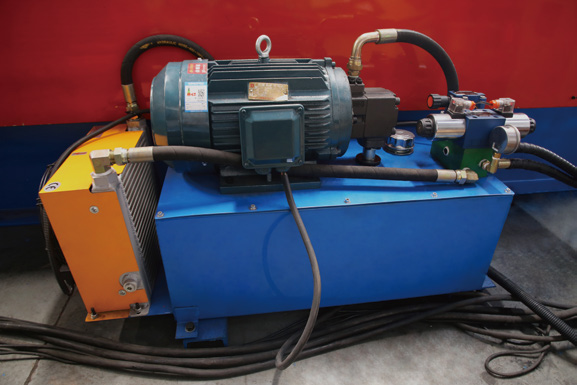
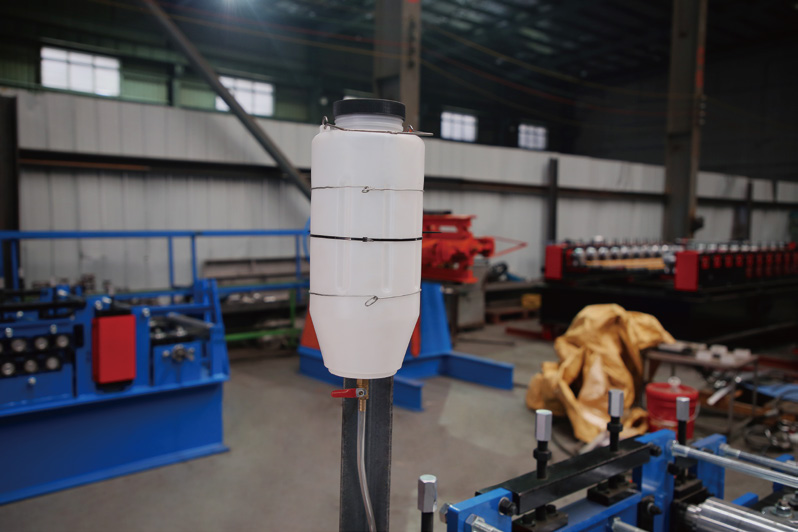
Layout & utilities
Allow loading, runout, inspection, buffers and maintenance access.
Recoverable settings
Keep drawings, backups, mechanical settings and tool/spare lists.
Team & restart
Demonstrate setup, first-part checks and safe recovery.
Site preparation, documentation, training and recovery scope
Plan the complete operating envelope: unloading and threading coils, supporting long parts, inspection, maintenance and safe access. A footprint that fits the main machine alone is insufficient.
Layout and Utilities
Provide the building CAD, coil mass/diameters, lifting capacity, electrical supply and existing downstream locations. The equipment layout should show loading clearance, feed direction, runout length, inspection/buffer zones, maintenance space and vehicle/pedestrian routes. Confirm actual loads and utility requirements from the selected equipment list.
Controlled Handover
List mechanical, electrical and hydraulic documents; operating instructions; recipe permissions and backups; mechanical setting sheets; tool IDs and orientation; blade/die maintenance; spares and consumables. A recoverable setting includes physical positions and tool condition as well as control data.
Team Readiness
Have the operating and maintenance team demonstrate safe threading/setup, first-part inspection, abnormal-stop recovery and restart after maintenance. Include an actual changeover where relevant. Define installation, training and support deliverables, responsibilities, costs and timing in the order.
Plan installation and support in the order.
Define the actual installation, training and support deliverables, responsibilities, timing and costs for your equipment.
Project responsibilities
Assign Approval Responsibilities
Assign separate owners for machine acceptance, component quality and building approval.
Equipment
Buyer and supplier: contracted configuration and machine documents.
Manufactured parts
Factory production/quality teams: part, joining and surface release.
Building & project
System designer/project team: complete-building engineering and approval.
Provide site, use and documentation requirements for the United States, Saudi Arabia, Russia, India and Mexico. Equipment acceptance and building approval remain separate.
Project engineering, market documentation and approval scope
Equipment
Buyer and supplier: contracted machine configuration, technical/safety documents and destination import requirements.
Manufactured parts
Component factory: material, dimensions, holes/ends, joining and surface release, with inspection and disposition records.
Building & project
System designer and qualified project team: structural connections, handling/lifting, stacking, fire, weather and enclosure requirements.
For projects in the United States, Saudi Arabia, Russia, India and Mexico, identify the site, intended use and documentation route. Flat-pack building components and machine documents do not establish freight-container compliance or building structural, fire or weather performance.
BMS equipment
Equipment for Your Component Scope
Select individual equipment or a coordinated package around your drawings, materials and order mix.
YX106-185
Top Beam Machine
Top-beam forming with profile-specific holes, cut ends and assembly faces.
View Machine Details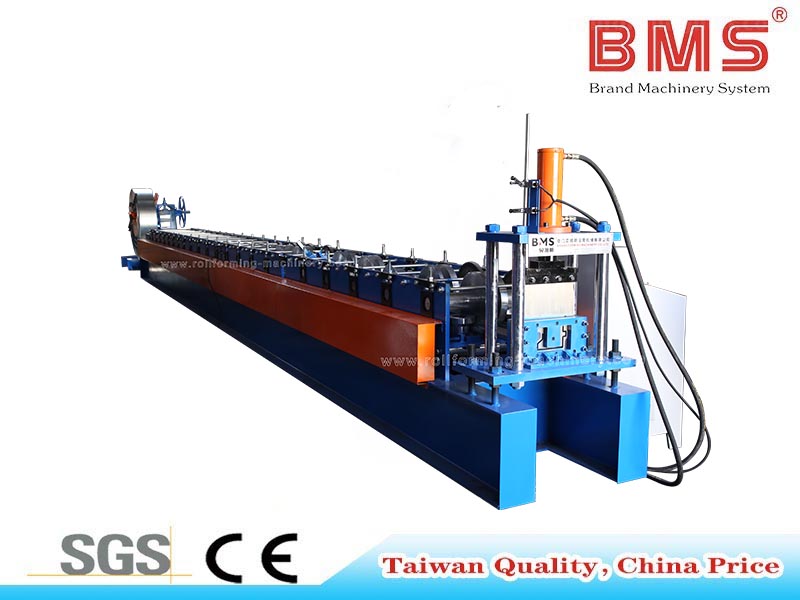
YX100-159
Bottom Beam Machine
For the YX100-159 section and its floor-frame connection details.
View Machine Details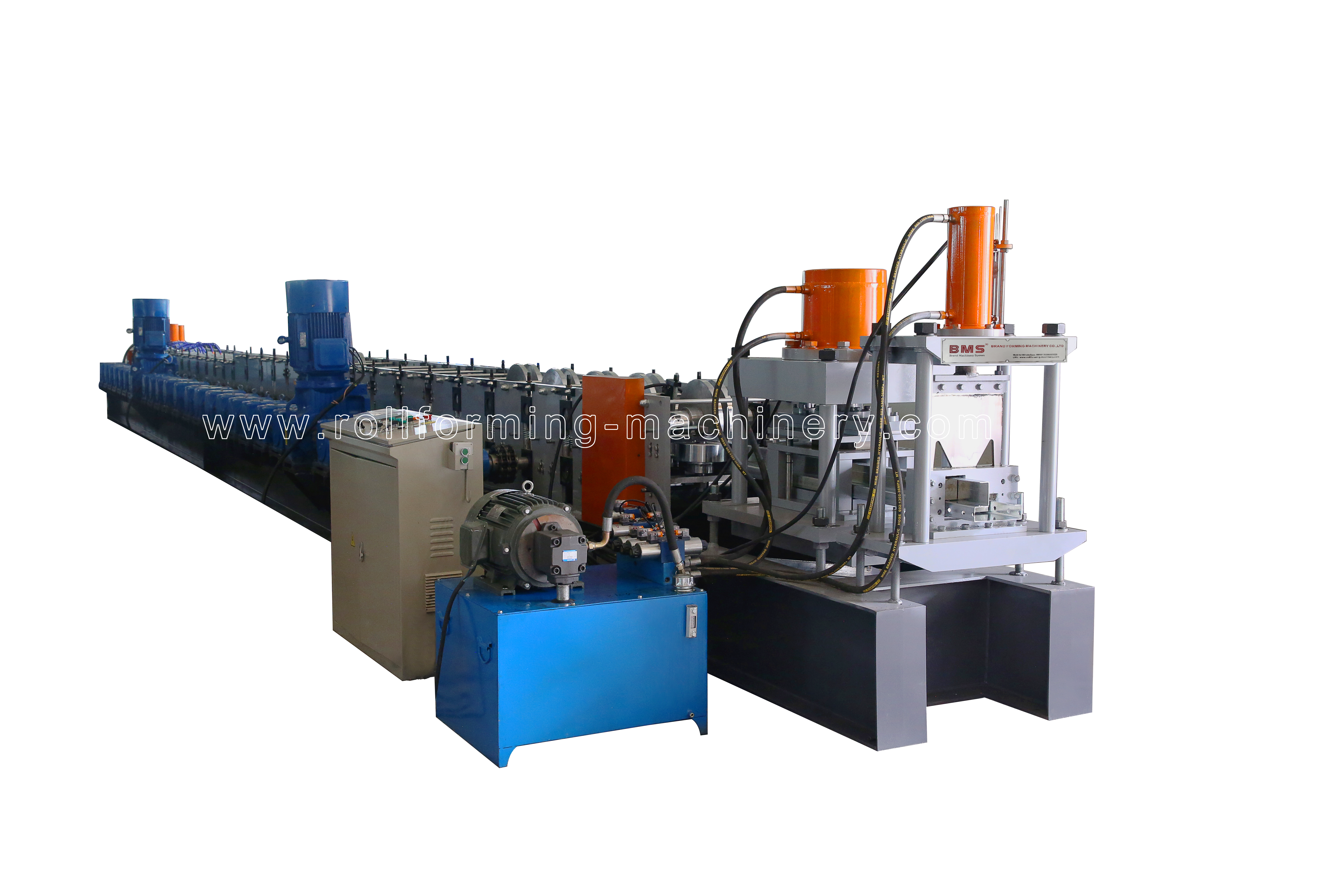
YX128-200
Container House Frame Machine
For YX128-200 frame members and drawing-defined connection geometry.
View Machine DetailsDoor-skin equipment
Door-Skin Machines
Skin families selected by working width, returns and powered/manual operations.
View Door-Skin OptionsYour quotation
Send Your Manufacturing Brief
Use the same drawing, material and order basis to compare equipment and quotations.
Drawings.
Materials.
Orders.
Factory interfaces.
Not ready with CAD? Send clear section/end photographs, measured samples and mating components. Develop controlled drawings before fixing tooling and precision acceptance.
Send Your Manufacturing BriefSend four inputs to start.
Part drawings and BOM · material specifications · order mix and output target · existing factory interfaces.
Quotation inputs, included scope and acceptance
Send the manufacturing inputs that make quotations comparable. The useful starting point is the component and order programme, followed by the equipment and acceptance scope needed to deliver it.
Send Your Production Brief
- Parts: target components, current process and the shortage or quality issue to solve.
- Drawings: controlled sections, full part lengths, holes/ends, assembly and node interfaces.
- Materials: grade/strength, thickness basis and tolerance, coating, strip width and coil details.
- Orders: SKU/length/direction matrix, batch mix, change frequency and required accepted parts or kits per time window.
- Factory: existing welding/finishing/handling capacity, plant layout, utilities and destination documentation needs.
Compare the Return Scope
- Component/drawing/material combinations covered by each line.
- Included equipment, tooling and receiving provision; options and buyer-supplied items.
- Automatic axes, manual steps and all required secondary operations.
- Output basis, setup/changeover conditions and downstream handover definition.
- Layout, utilities, documents, training and service responsibilities.
- Trial material, FAT/SAT method, acceptance limits and defect closure.
Buyer questions
Resolve the Last Configuration Questions.
Practical answers before you specify or enquire.
Yes—an individual component line can be evaluated around the existing process. Supply the bottom-beam and end-feature drawings, materials, required accepted quantities and fixture/node interfaces. Check whether the shortage is in formed beams or a later operation before sizing the investment.
Running both sections on one line requires suitable rolls, guides, cut-off tools and a defined changeover method. Include both profiles and their material combinations in the specification, then demonstrate the complete change between accepted parts.
It depends on the approved size family and tool arrangement. Identify the axes that move and any guide, blade, die or receiving adjustment still done by an operator. Include manual front-shear work and first-skin inspection in the demonstration.
Parts can be the wrong length, direction, door type or drawing revision, or already allocated elsewhere. A kit also needs every required bought-in part at the agreed acceptance point. Allocate stock by the actual order BOM and use one production window.
Put the material grade, thickness/coating boundary, supplied quantity and trial duration in the FAT agreement. Define any node, sample-frame, fixture or welding work separately with its provider and inspection method. It is an agreed interface test rather than an automatic part of every machine trial.
Send measured full sections and ends, clear photos, the material specification, mating nodes and the intended assembly. Use those inputs to establish controlled component and assembly drawings before committing to tooling and tolerances.
The English equipment brochure at the page opening shows the component and equipment families. For a proposed order, ask BMS to include the configuration, drawings, material matrix, layout and acceptance documents in the technical quotation.
Discuss your next production step
Build Your Component Equipment Scope With BMS.
Send the component drawings, BOM, materials and the shortage or assembly interface you need to solve.
Request Your Equipment Quotation